Search


PSX 100 INDEX Last Updated On
November 28, 2026 at 8:15 am
November 28, 2026 at 8:15 am


USER MANUAL FOR MOBILE V TRADE APPLICATION
Basic Information
KEY WORDS:
A drop down bar is given from which client can select desired order type, order includes:
- LIMT
- MARKET
- STOPLESS
- MIT (MARKET IN TOUCHED)
VOLUME:
Number of shares client wants to buy.
SYMBOL:
Symbol of the particular company
PRICE:
It is defined as rate per share. Rate is defined on the basis of order type.
- LIMT
- MARKET
- STOPLESS
- MIT (MARKET IN TOUCHED)
ACCOUNT:
You have mentioned you account name/number here.
PIN CODE:
Every client is given a unique PIN CODE which He / She have to enter to perform the action.
DISCVOL:
DiscVol (disclosed volume) is to hide the order volume in the market, only the total Order Volume disclosed volume will be visible in the market.
SUBMIT:
After filling the form press submit button, a confirmation windows will open, click on "ok" button then your order will be transferred to PSX through our platform.
UPPER CAP:
Upper lock is the limit above which a stock price cannot trade on a particular trading day.
LOWER CAP:
Lower cap is the limit below which a stock price cannot trade on a particular trading day.
EXIT:
Exit button is used to exit from the window.

INSTALLATIOM
Go to the play store in your cell phone then type in search bar Vtrade Touch application.
OPEN APPLICATION
LOGIN:
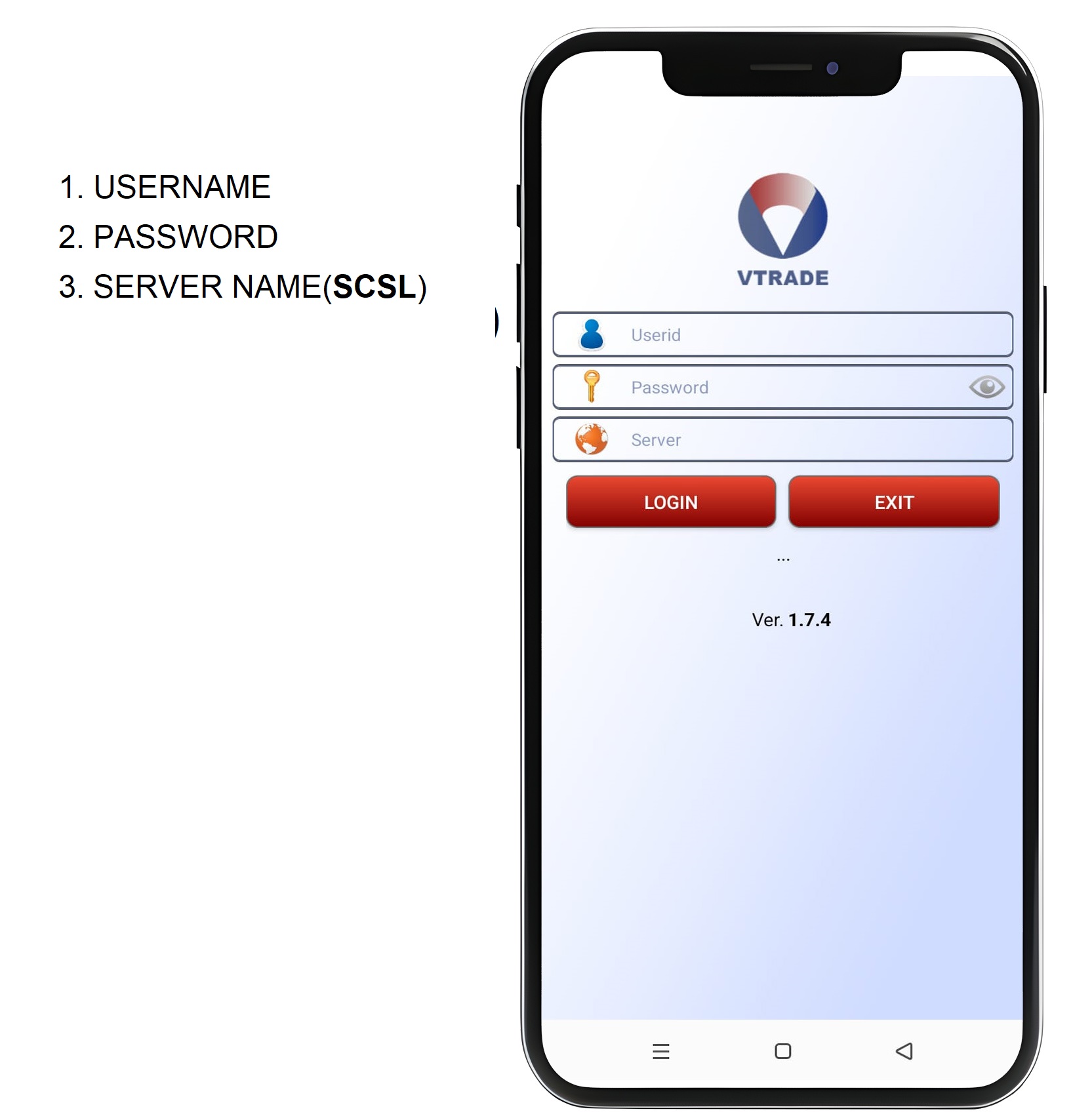
SYMBOL:
Go to search bar and add company symbol then press plus button.

Buying:
For buying shares click on buy button as shown in figure

Selling:
For selling shares click on buy button as shown in figure.
Portfolio:
A portfolio is a set of various financial securities offered for trading on the financial markets.
MBO:
Market by Order is list of orders (of specific symbol) queued in the market. Buy Side is sorted descending, which shows buyer with the highest price is at the top. Sell side is sorted ascending, which shows seller with the lowest price is at the top.